
MusicBrainz
Pull album and track metadata straight from the MusicBrainz database.
MusicBrainz is an open music encyclopedia that collects music metadata and makes it available to the public. Metadatics can search the MusicBrainz database and apply the search results directly to your files.
Finding an Album
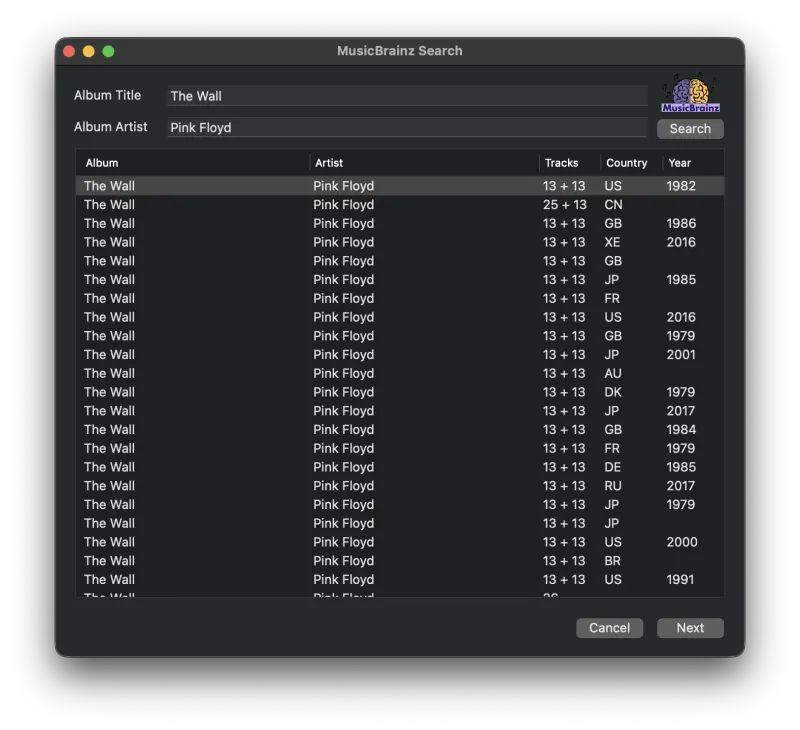
The first part of a MusicBrainz lookup involves finding an album in the database. Select the files you want to look up; they must all be from the same album, since only a single album can be looked up at a time. Open the MusicBrainz window from the Functions menu, fill in the Album Title and Album Artist, and press Search. If your selected files already contain that information, the search begins automatically.
There are often multiple releases of a single album with different track lineups. Find the release you are looking for, highlight it in the list, then press Next to view the results.
Applying the Results
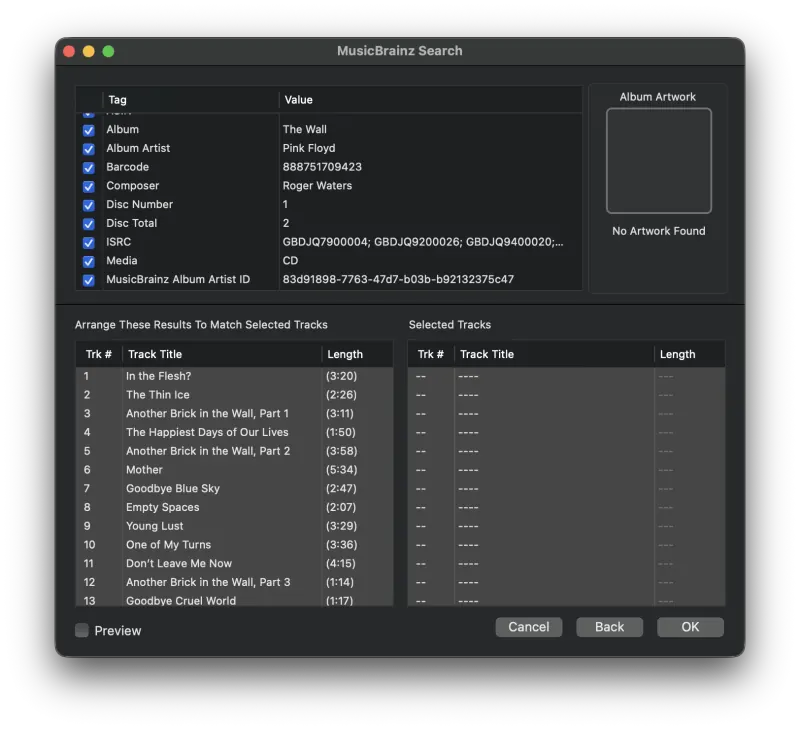
The second page displays the MusicBrainz metadata for the chosen album. Use the checkboxes to choose which pieces of metadata to apply.
There are two tables of tracks at the bottom of the window. The left table represents the results from MusicBrainz. The right table is a list of the tracks you selected. Each result is applied to the selected track in the same row, so the two lists need to line up before you apply them. There are several ways to arrange them:
- Press Match to Files to reorder the results to match your tracks. Results are matched by title first, then by length; anything left unmatched keeps its album order.
- Click a column heading to sort either list by track number, track title, or length.
- Drag rows in either list to move them by hand. If you selected more files than the release has tracks, the files below the last result are left unchanged.
Once the results are arranged, press OK to apply the MusicBrainz metadata to your tracks.
Still need help? Email [email protected] or send a message.