
Copy Tag To Tag
Copy information from one metadata tag to another, for example Track Artist to Album Artist.
The Copy Tag To Tag function lets you copy information from one metadata tag to another. For example, if you want to copy the Track Artist to the Album Artist, you can use this function to do it in a single batch operation.
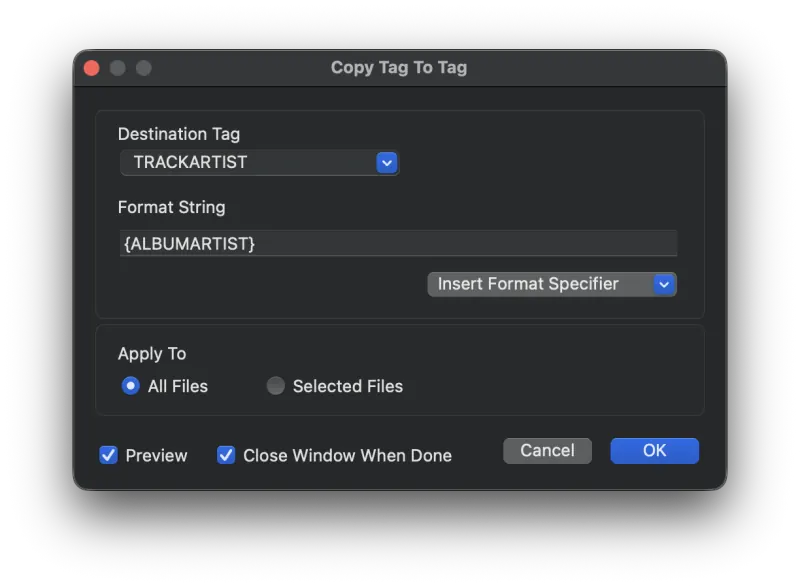
Options Explained
- Destination Tag
- The tag that you are copying to. Type in any tag you want, or select one from the drop-down list.
- Format String
- The format string defines what gets copied to the destination tag. Enclose tag names in brackets and Metadatics replaces them with the actual tag value. In the screenshot above, the
TRACKARTISTtag is copied to theALBUMARTISTtag. You can include literal text outside the brackets, and you can combine multiple tags in the format string - for example,{TRACKNUMBER} - {TRACKTITLE}. - Apply To
- Apply this function to all files, or only to the selected files.
- Preview
- Turn on Preview Mode to see what the results are going to be before committing. Results are shown in red text.
Still need help? Email [email protected] or send a message.