Album Artwork Search
Find album artwork online and apply it directly to your audio files.
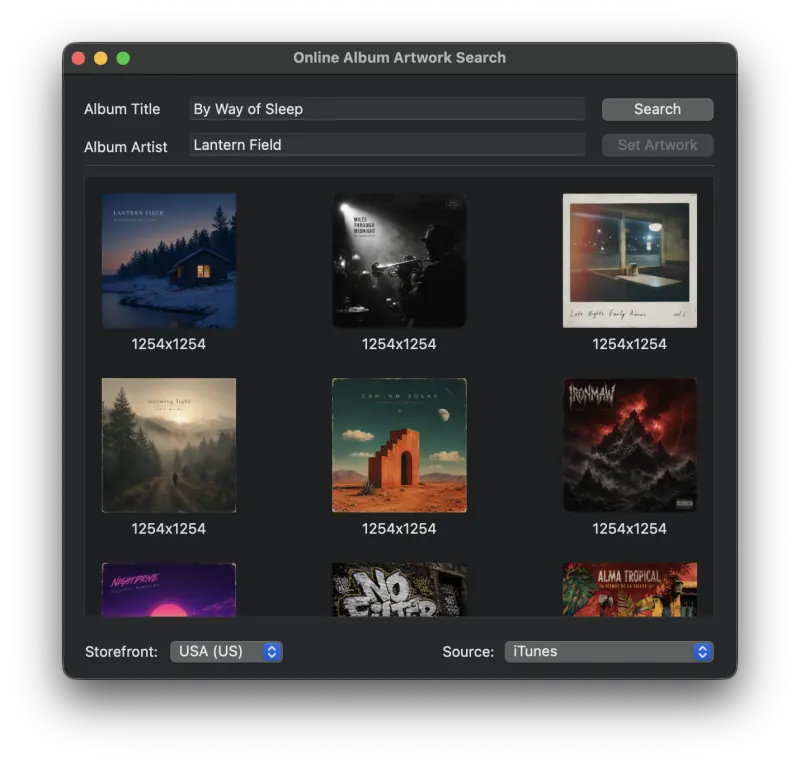
The Album Artwork Search window lets you search for album artwork from online sources. The online source can be selected from the pull-down menu on the bottom left. Metadatics currently supports iTunes and Discogs, with more sources planned for future versions.
How to Search for Album Artwork
- Select the group of files you want to find artwork for.
- Choose Album Artwork Search from the Online Sources menu.
- If the selected files already have an Album Title or Album Artist, that information is populated automatically and the search begins. Otherwise, type in the Album Title and Album Artist and press Search.
- When the search completes, you will see a number of results. Select the image you want to apply and press Set Artwork.
Still need help? Email [email protected] or send a message.