
Fix Character Encoding
Repair audio tags that display as garbled or unreadable characters.
The Fix Character Encoding function corrects metadata that was saved using the wrong character encoding, the classic cause of "mojibake", where non-Latin characters appear as question marks or random symbols. If you aren't sure which encoding was used originally, it may take a little trial and error. Keep Preview on so you can see exactly what the function is doing before saving.
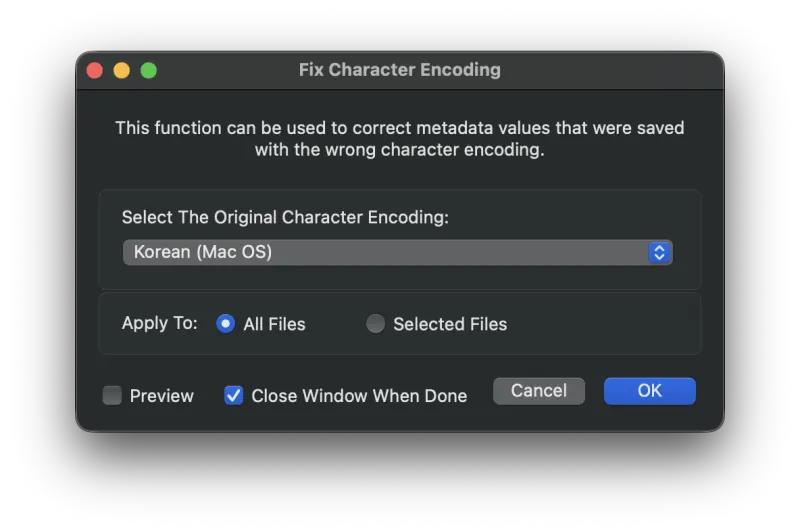
Example: Restoring Korean Tags
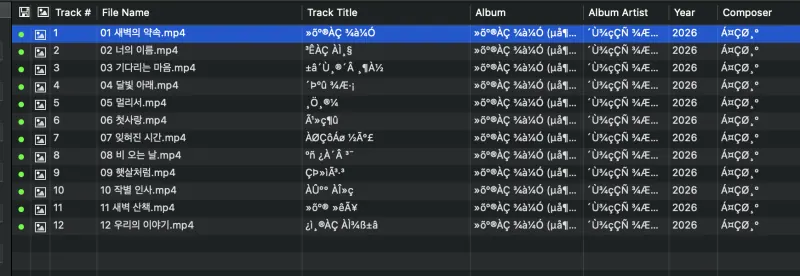
Below is a batch of files that were saved with the wrong character encoding. The track titles, artists, and album names all appear as unreadable symbols:
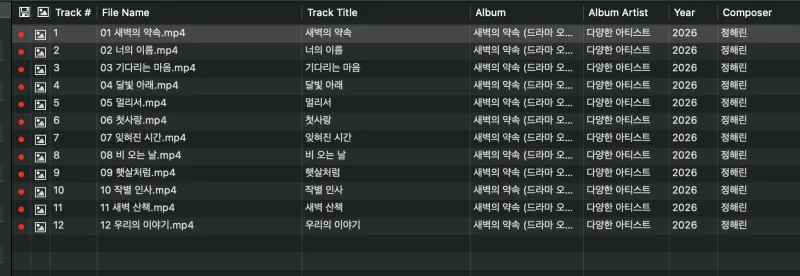
The original encoding for these files turned out to be Korean (Mac OS). Selecting it in the dialog above and applying the function restores the text:
Still need help? Email [email protected] or send a message.