
Metadata Editor Window
View and edit tags, including album artwork, for one file or many at once.
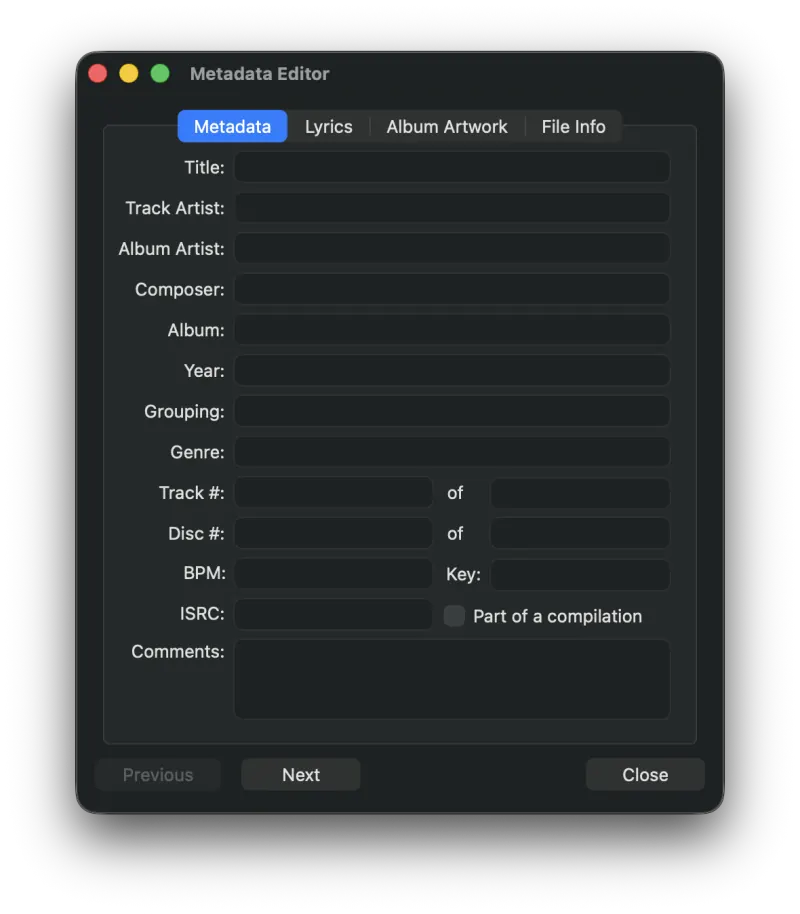
MP3 Encoder automatically reads any metadata present in the source file. Use the Metadata Editor window to view and edit that information. To edit multiple files at once, highlight all of the files you want to edit. Any value you enter is then applied to every selected file.
Keyboard Shortcuts
- ⌘P - Previous file
- ⌘N - Next file
- ⇧⌘C - Copy All Metadata
- ⇧⌘V - Paste All Metadata
Album Artwork
Album artwork can be dragged directly onto the Album Artwork pane of the metadata editor.
Copying Metadata Between Files
You can copy all of the metadata from one file and paste it into others. Highlight the file whose metadata you want to copy, choose Copy All Metadata (⇧⌘C) from the Metadata menu, then select the destination file(s) and choose Paste All Metadata (⇧⌘V).
Clearing Metadata
All metadata for the selected files can be cleared at once by choosing Clear Metadata from the Metadata menu.
Still need help? Email [email protected] or send a message.