Settings
Three panes covering time formats, shortcuts, and window behavior.
General
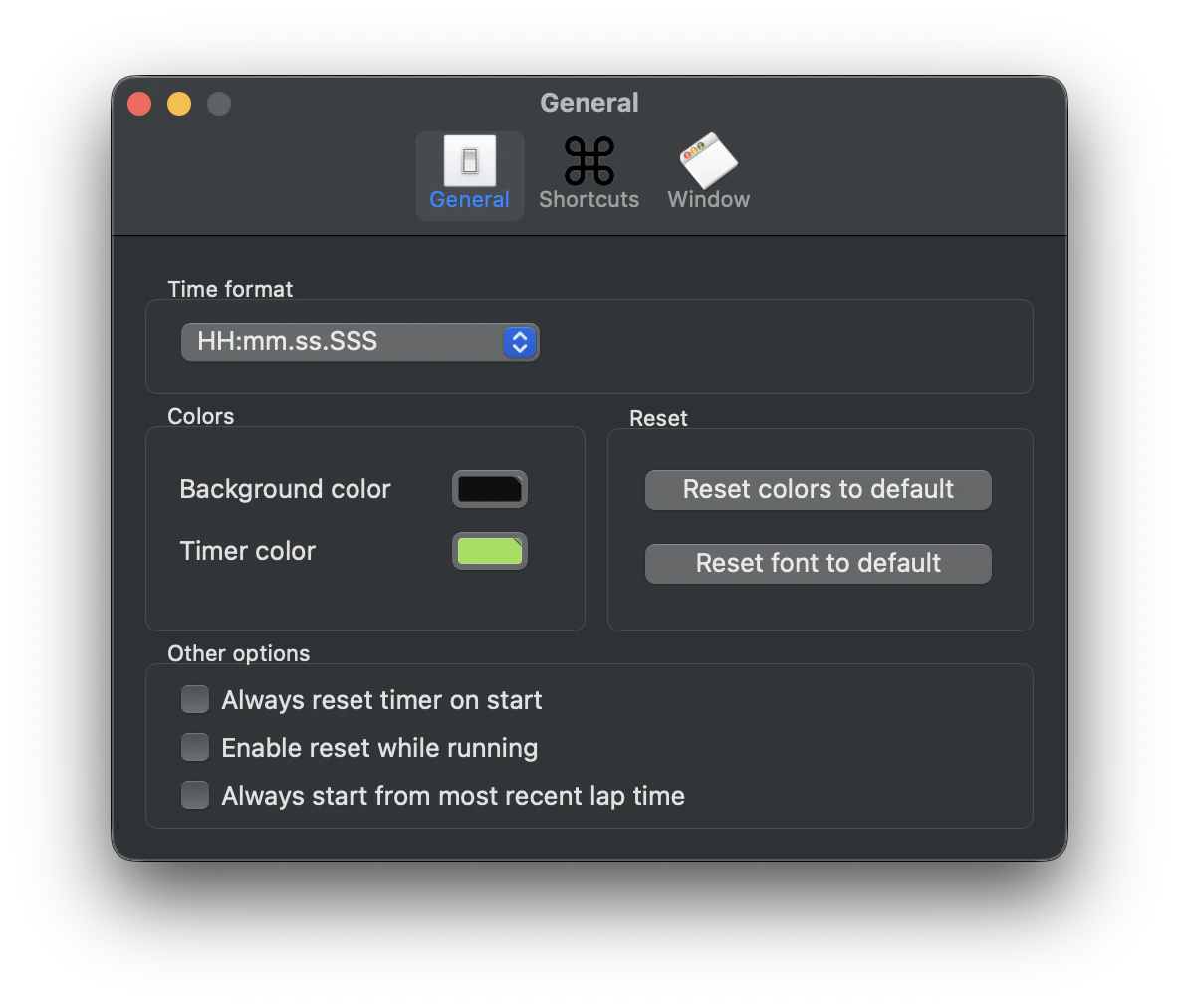
Time Format
Select from eight built-in time formats, from simple minutes and seconds to hours, minutes, seconds, and milliseconds. See the full list on the Digital View page. The chosen format is also used in the lap window, the lap drawer, and when exporting or printing lap times.
Background Color
Sets the color (and transparency) of the area behind the digits in the digital view. The macOS color picker's opacity slider lets you go from solid all the way to fully invisible.
Timer Color
Sets the color (and transparency) of the digits themselves in the digital view. Independent from the background, so you can keep fully opaque digits over a translucent or invisible background.
Always Reset Timer On Start
Resets the clock to zero every time you press Start, instead of continuing from the most recent time.
Enable Reset While Running
Keeps the Reset button enabled while the timer is running. In this mode, the timer snaps back to zero and continues running when Reset is pressed.
Always Start From Most Recent Lap Time
When enabled, the timer is set to the most recent lap time every time it is started.
Shortcuts
Shortcuts
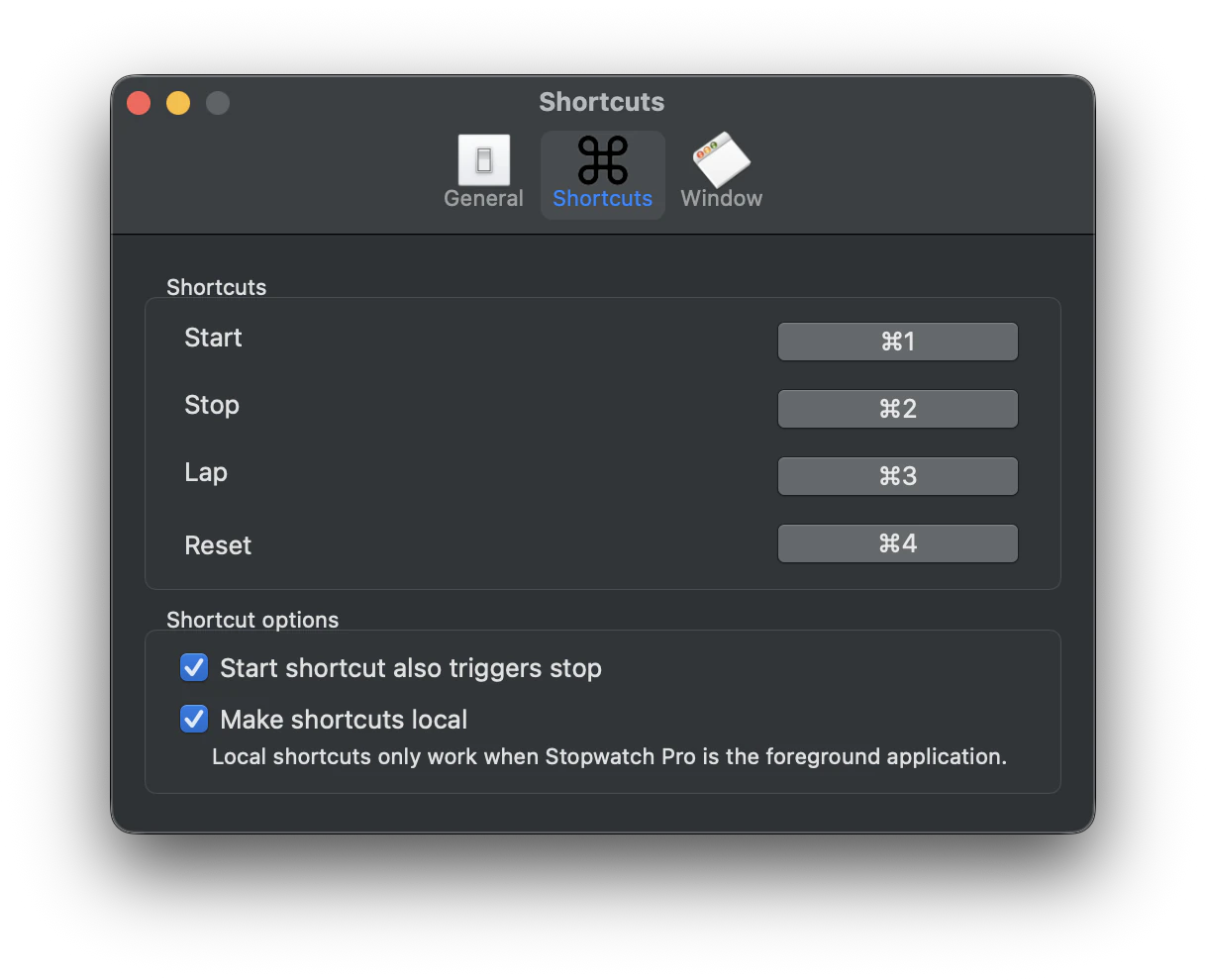
Record keyboard shortcut combinations for the stopwatch actions: Start, Stop, Lap, and Reset. Shortcuts can include modifier keys or single keys on their own.
Start Also Triggers Stop
When enabled, the shortcut for Start also triggers Stop, so one key toggles the timer between running and stopped.
Make Shortcuts Local
When enabled, shortcuts only work when Stopwatch Pro is the foreground application. Otherwise, shortcuts are global and will work even if Stopwatch Pro is in the background or another app is focused.
Window
Opacity
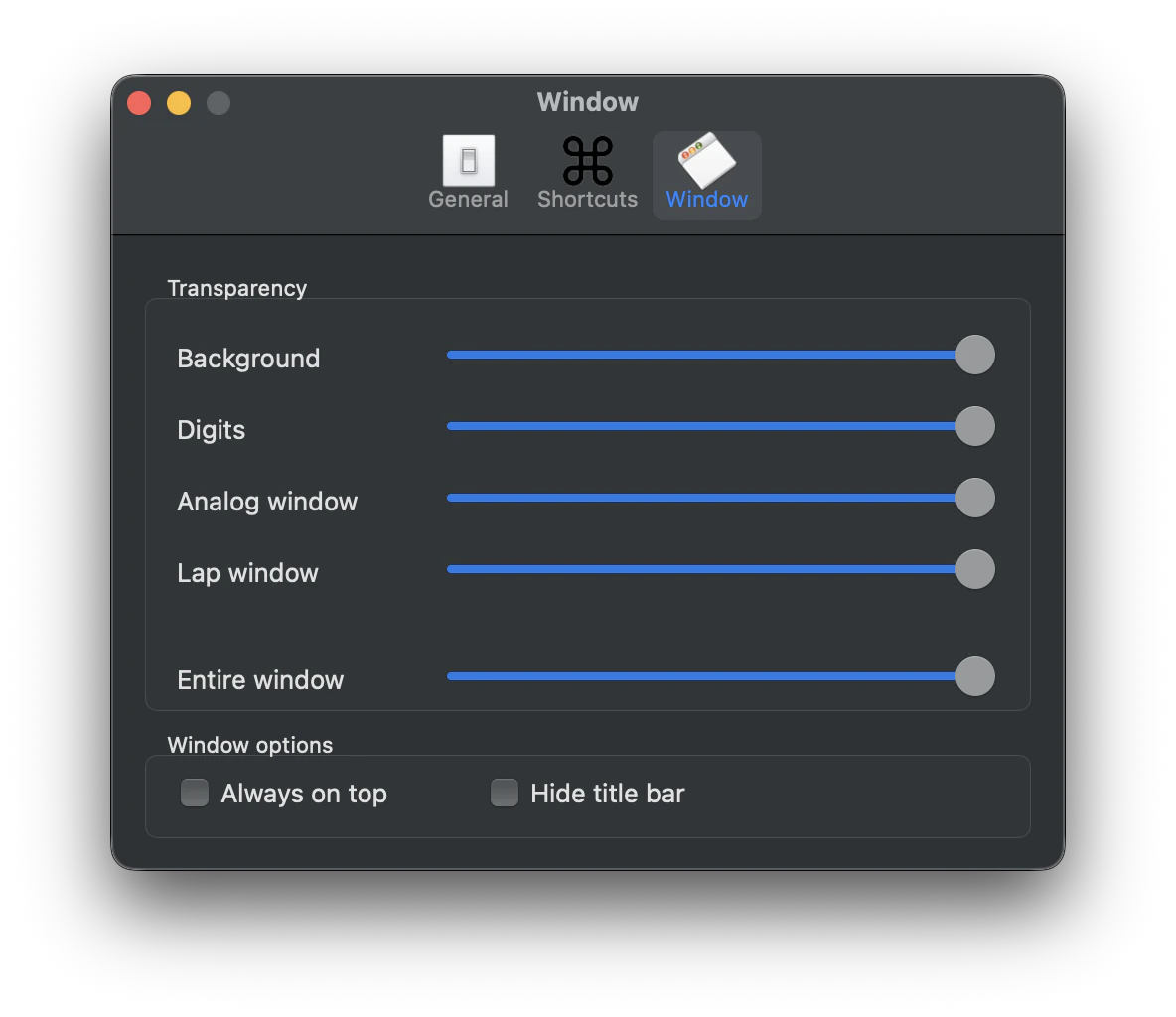
Five independent opacity sliders let you dial in transparency for each part of Stopwatch Pro:
- Background - the area behind the digits in the digital view.
- Digits - the timer digits themselves.
- Analog Window - the metallic housing around the analog dials.
- Lap Window - the separate lap log window.
- Entire Window - applied on top of all the above. Useful for fading the whole app into the background of your workspace at once.
Hide Title Bar
Removes the window's title bar so only the timer remains. Combine with a transparent background and a hidden toolbar to create a minimal HUD-style timer that floats over your work.
Always On Top
When checked, the stopwatch and lap windows float on top of other application windows so the time is always visible, no matter which app is focused.
Still need help? Email [email protected] or send a message.